






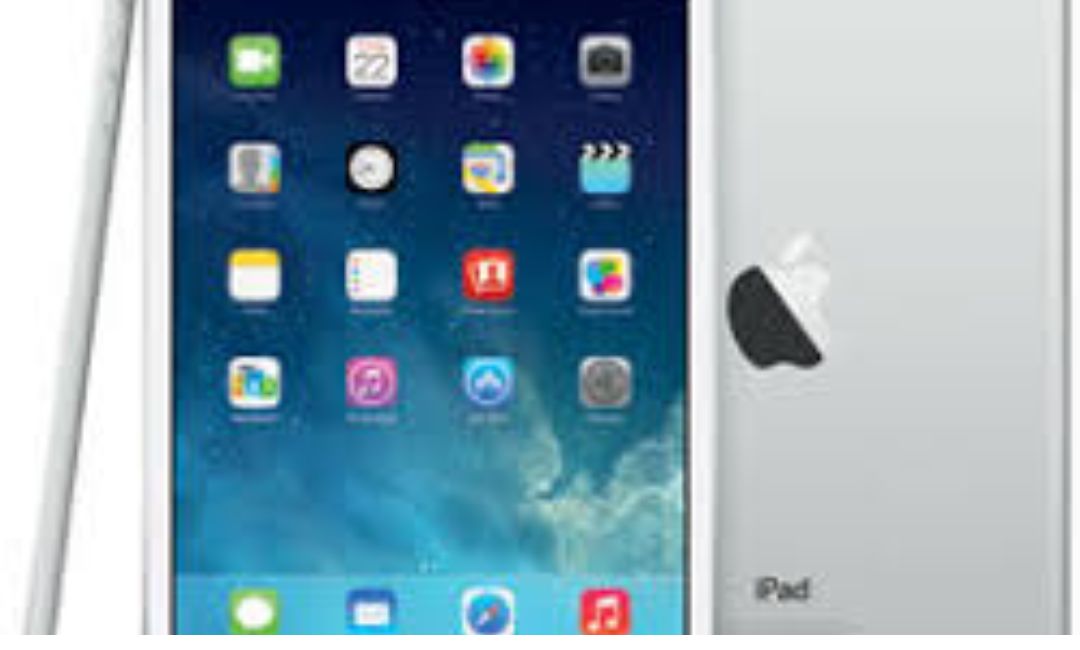
Introduction to the A1489 iPad Mini 2
The a1489 represents Apple’s innovative step into compact tablets. This model number identifies the Wi-Fi-only version of the iPad Mini 2, a device that revolutionized portable computing when it launched. Apple released the iPad Mini 2 in November 2013, following its announcement in October. It quickly became popular for its balance of power and portability. Users loved it for reading, browsing, and light productivity.
Apple designed the a1489 to appeal to those who wanted a smaller alternative to full-sized iPads. It features a sleek aluminum body, weighing just 331 grams. This makes it easy to hold with one hand. The tablet includes a Retina display, which was a major upgrade from the first iPad Mini. With over 3 million pixels packed into a 7.9-inch screen, it delivers sharp visuals.
In 2026, the a1489 remains relevant for specific tasks. While newer models offer advanced features, this one excels in simplicity. It runs on older software, but that doesn’t limit its utility for basic needs. Think of it as a reliable companion for e-reading or media playback. We’ll dive into its background, specs, and tips to maximize its potential.
History and Background of the A1489
Apple introduced the a1489 as part of the iPad Mini 2 lineup. The company aimed to address feedback from the original iPad Mini, which lacked a high-resolution screen. The Retina display became the star feature, earning the device its initial marketing name: iPad Mini with Retina Display.
The launch event in October 2013 highlighted Apple’s focus on “a lot to cover.” This referred to the enhanced screen and performance boosts. Production started soon after, with shipments beginning in November. The a1489 was the Wi-Fi model, while A1490 and A1491 added cellular options.
Over the years, Apple sold millions of these units. It discontinued the a1489 in March 2017, but it stayed in use worldwide. By 2026, many owners still rely on it for legacy tasks. Statistics from Apple show that older iPads like this one account for a small but steady portion of active devices. For instance, resale markets report steady demand for refurbished a1489 units at prices around $30-$50.
The a1489 played a key role in Apple’s ecosystem growth. It bridged the gap between iPhones and larger iPads. Developers optimized apps for its size, leading to better mobile experiences. Today, it serves as a reminder of Apple’s design philosophy: create devices that last.
Design and Build Quality
Apple crafted the a1489 with premium materials. The aluminum unibody gives it a sturdy feel. It measures 200 mm in height, 134.7 mm in width, and 7.5 mm in depth. This slim profile fits easily into bags or pockets.
Available in Space Gray or Silver, the a1489 looks modern even in 2026. The edges are chamfered for comfort during long holds. It resists fingerprints thanks to an oleophobic coating on the glass.
Key design elements include:
- Stereo speakers: Positioned at the bottom for clear audio.
- Lightning port: For charging and data transfer.
- Volume buttons and mute switch: On the side for quick adjustments.
- Home button: With Touch ID? No, this model predates that; it uses a standard button.
The build withstands daily use. Drop tests from 2013 showed it survives falls from waist height. In 2026, protect it with a case to extend its life.
Display Features of the A1489
The a1489 shines with its 7.9-inch IPS LCD Retina display. It boasts a resolution of 2048 x 1536 pixels at 326 ppi. This density matches high-end screens, making text and images crisp.
Colors appear vibrant with accurate reproduction. The 4:3 aspect ratio suits reading and browsing. Brightness reaches adequate levels for indoor use, though it struggles in direct sunlight.
Notable display specs:
- Screen-to-body ratio: About 71.7%, maximizing viewing area.
- Oleophobic coating: Reduces smudges and improves touch response.
- Multi-touch support: Handles up to 10 fingers for gestures.
In 2026, use the a1489 for e-books or comics. Apps like Kindle render pages sharply. For customization, explore useful guides on various topics to enhance your reading setup.
Performance and Hardware
Powering the a1489 is the Apple A7 chip. This dual-core 1.3 GHz Cyclone processor handles tasks efficiently. Paired with 1 GB of RAM, it runs smoothly for its era.
The PowerVR G6430 GPU manages graphics. It supports games from 2013-2018 without issues. Benchmarks like Basemark X scored it at 13,286 points.
Hardware highlights:
- Chipset: 28 nm process for energy efficiency.
- Motion coprocessor: M7 for tracking steps and orientation.
- Sensors: Accelerometer, gyro, and compass for apps like maps.
In 2026, the a1489 excels in light multitasking. Run email, notes, and music simultaneously. Avoid heavy apps, as performance dips with modern demands.
Camera Capabilities
The a1489 includes a 5 MP rear camera with f/2.4 aperture. It captures decent photos in good light. Features like autofocus and HDR enhance shots.
The front 1.2 MP camera supports FaceTime calls at 720p. It’s suitable for video chats.
Camera tips:
- Use HDR mode for balanced exposure in varied lighting.
- Record 1080p video at 30 fps for family moments.
- Edit photos in built-in apps for quick enhancements.
While not professional-grade, it’s handy for scanning documents or casual snaps.
Battery Life and Charging
The a1489 packs a 6470 mAh Li-Po battery. It lasts up to 10 hours on Wi-Fi tasks like browsing or video playback.
Factors affecting battery:
- Screen brightness: Keep it moderate to save power.
- Background apps: Close unused ones.
- Temperature: Avoid extremes.
Charging via Lightning takes about 4 hours. In 2026, replace the battery if it holds less than 80% capacity for better performance.
Software and Updates for A1489
The a1489 shipped with iOS 7 and upgrades to iPadOS 12.5.7. As of 2026, Apple ended support, meaning no new features or security patches beyond that.
Key software aspects:
- Last update: iPadOS 12.5.7, released in 2023.
- App compatibility: Many older apps work, but newer ones require iPadOS 13+.
- Security: Use caution with online activities; stick to trusted sites.
For details, check the official Apple support page. This ensures you have accurate info on compatibility.
Connectivity Options
The a1489 focuses on Wi-Fi connectivity. It supports 802.11 a/b/g/n dual-band for stable connections.
Other features:
- Bluetooth 4.0: Pairs with headphones or keyboards.
- No GPS: Relies on Wi-Fi for location services.
- USB 2.0 via Lightning: For file transfers.
In 2026, connect to modern routers without issues. Use it as a secondary device for streaming.
Storage Variants and Management
The a1489 came in 16 GB, 32 GB, 64 GB, and 128 GB options. No expandable storage, so choose wisely.
Management tips:
- Delete unused apps to free space.
- Offload photos to iCloud or external drives.
- Monitor usage in Settings for optimization.
Higher storage models fetch better resale value today.
Accessories and Compatibility
Enhance the a1489 with accessories. Compatible items include:
- Cases: Folio styles for protection.
- Keyboards: Bluetooth models for typing.
- Stylus: Basic ones for notes, though no Apple Pencil support.
Check compatibility on sites like EveryMac lookup.
Comparisons with Other Models
Compared to the original iPad Mini, the a1489 adds Retina display and faster processing. Versus the iPad Mini 3, it’s similar but lacks Touch ID.
In 2026, against the iPad Mini 7 (A17 Pro):
- Screen: Same size, but newer has higher refresh rate.
- Performance: A1489 lags in multitasking.
- Battery: Comparable, but efficiency improves in new models.
The a1489 wins on affordability for basic use.
Best Uses for A1489 in 2026
Even in 2026, the a1489 has practical applications. Users repurpose it creatively.
Top uses:
- E-reader: Load Kindle or PDFs for books. Its size is perfect for one-handed reading.
- Music player: Stream via Apple Music or local files with Bluetooth speakers.
- Digital photo frame: Display slideshows in standby mode.
- Basic browser: View simple websites or emails.
- Note-taker: Use Notes app for lists or sketches.
- Kids’ device: Install educational apps from older libraries.
- Home controller: Manage smart devices if compatible apps work.
From user forums, many keep it for Bible study or dictionaries. It’s reassuring to know it still handles these reliably.
Troubleshooting Common Issues
Encounter problems with your a1489? Follow these steps.
For slow performance:
- Restart the device by holding power and home buttons.
- Clear cache in Safari settings.
- Update apps if available.
Battery drains fast? Calibrate by fully charging and discharging. If Wi-Fi connects poorly, reset network settings.
For app crashes, ensure compatibility with iPadOS 12. Refer to GSMArena specs for hardware limits.
Upgrading from the A1489
If the a1489 feels limited, consider upgrades. The iPad Mini 6 or 7 offers modern chips and Pencil support.
Upgrade reasons:
- Better software: Access iPadOS 26 features.
- Improved cameras: For sharper photos.
- Longer support: Future-proof your device.
Budget options include refurbished models starting at $200.
FAQs About the A1489
What device is model a1489?
It’s the Wi-Fi-only iPad Mini 2, released in 2013.
Does the a1489 support the latest iPadOS?
No, it maxes at iPadOS 12.5.7.
How do I identify my a1489?
Check the back for the model number or in Settings > General > About.
Can I use a1489 for gaming in 2026?
Yes, for older games, but not demanding titles.
What’s the battery life of a1489?
Up to 10 hours for mixed use.
Is a1489 worth buying used?
Absolutely, for budget-friendly tasks like reading.
Conclusion
The a1489 iPad Mini 2 stands as a testament to Apple’s enduring design. From its Retina display to reliable performance, it offers value even in 2026. We’ve covered its history, specs, uses, and tips to keep it running smoothly. Whether as an e-reader or media player, it reassures users with its simplicity.
What do you use your a1489 for today? Share in the comments!