





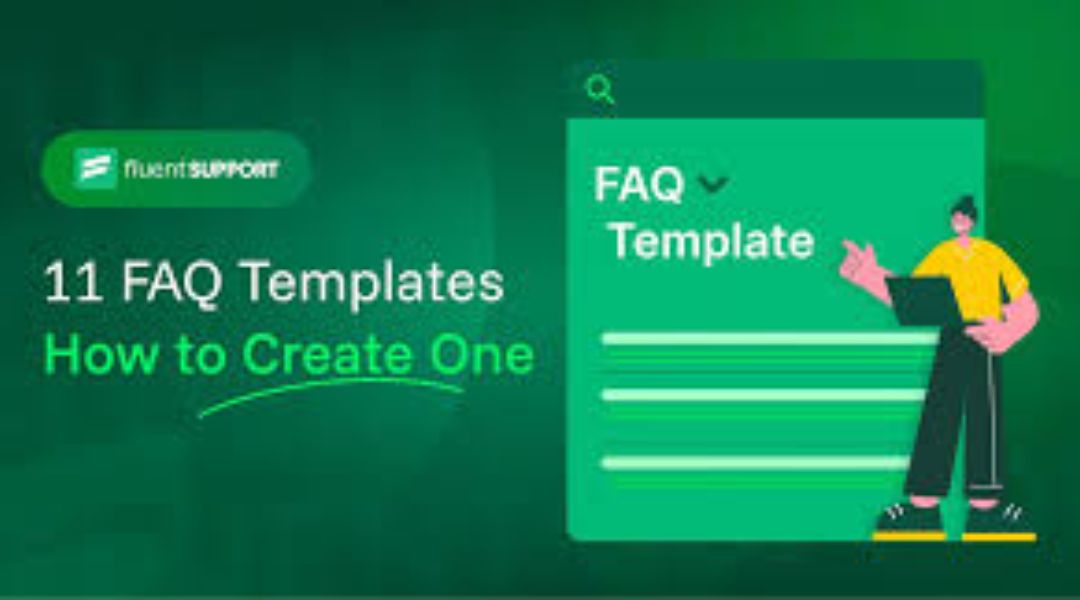
The FAQ templates are pre-designed layouts and structures that help you quickly create effective Frequently Asked Questions sections on websites. These faq templates make it simple for businesses, bloggers, and developers to add clear answers to common questions without starting from scratch.
Many people search for faq templates because they save time and improve how visitors find information fast. Whether for a small shop or a big company site, good faq templates boost user happiness and help with search rankings.
In this guide, we cover everything about faq templates. You will learn types, benefits, design tips, and more. We draw from top sources like Nicepage, Dribbble, and DiviFlash examples to show real-world ideas.
What Are FAQ Templates?
FAQ templates are ready-made designs for Frequently Asked Questions pages or sections. They often use formats like accordions (where answers hide until clicked), tabs, grids, or simple lists.
These templates come in HTML, WordPress themes, or tools like Canva and Notion. They focus on easy reading with bold questions, short answers, and search bars sometimes.
For example, many faq templates include:
- Accordion style: Questions expand to show answers.
- Searchable layout: A box lets users type questions.
- Categorized groups: Topics like “Billing” or “Shipping” organize questions.
Using faq templates means you do not need advanced coding skills. Drag-and-drop builders let anyone customize them.
Why Use FAQ Templates on Your Website?
FAQ templates bring many gains. First, they cut down support requests. Studies show well-made FAQ sections can reduce tickets by 25-40%. Visitors find answers alone instead of emailing or calling.
Second, faq templates improve SEO. Search engines like Google favor pages with direct question-answer formats. They can show up in “People Also Ask” boxes or featured snippets. Adding FAQ schema markup helps even more.
Third, they build trust. Clear answers show you care about customers. This leads to higher sales, as people feel sure before buying.
Other perks include:
- Faster page loads with clean designs.
- Mobile-friendly views.
- Better user experience (UX) with less scrolling.
From real sites like Spotify or Netflix, faq templates with categories and visuals keep users engaged longer.
Types of FAQ Templates
There are several kinds of faq templates to match different needs.
- Accordion FAQ Templates The most common type. Questions act like buttons that open answers below. This keeps pages clean. Great for long lists.
- Searchable FAQ Templates Add a search bar at the top. Users type keywords to find matches fast. Ideal for big knowledge bases.
- Categorized or Tabbed FAQ Templates Group questions by topic (e.g., Account, Payments). Tabs or side menus switch views. Seen on sites like Microsoft or WhatsApp.
- Grid or Card-Based FAQ Templates Questions in boxes or cards. Often with icons. Modern and visual, good for creative sites.
- Single-Page vs. Knowledge Base Templates Simple ones list everything on one page. Bigger ones link to detailed articles.
- Interactive or AI-Powered FAQ Templates Include feedback buttons (“Was this helpful?”) or chatbots. These adapt to user needs.
- Video or Visual FAQ Templates Add screenshots, icons, or short videos in answers. Helpful for step-by-step guides.
Choose based on your site size and audience. Small sites do well with accordions; larger ones need search and categories.
Key Features of Effective FAQ Templates
Good faq templates share traits that make them work well.
- Clear Structure — Use H2 or H3 for questions. Bold them. Keep answers short and direct.
- Mobile Responsiveness — Designs adjust for phones and tablets.
- Fast Loading — Avoid heavy images or code.
- Accessibility — Support screen readers with proper tags.
- Internal Links — Link to related pages for more info.
- Feedback Options — Let users rate answers or suggest new questions.
- Schema Markup — Add structured data for rich search results.
From DiviFlash examples, top features include accordions, search bars, icons, and conversational tone in answers.
How to Choose the Right FAQ Template
Follow these steps to pick the best faq templates:
- Know your audience — What questions do they ask most?
- Check your platform — WordPress? Use Divi or Elementor templates. No code? Try HTML from Nicepage.
- Look at design — Match your site style (minimal, colorful).
- Test usability — Ensure easy navigation on mobile.
- Review SEO tools — Support for schema and keywords.
Popular sources:
- Nicepage offers thousands of free HTML faq templates with Bootstrap for responsive designs. Categories include business, insurance, and more.
- Dribbble shows creative designs for inspiration, like minimalist accordions or animated elements.
- DiviFlash provides importable layouts with advanced features like grids and dark modes.
For free options, Canva or Notion have simple customizable faq templates.
Step-by-Step Guide to Creating Your FAQ Page Using Templates
Here is how to build one:
- Gather Questions — List top 10-20 from support emails, chats, or searches.
- Pick a Template — Download from Nicepage or similar.
- Customize — Change questions and answers. Add your brand colors.
- Add Features — Include search or categories if needed.
- Optimize for SEO — Use focus keyword faq templates naturally. Add schema.
- Test — Check on different devices. Get feedback.
- Publish and Monitor — Use analytics to see popular questions. Update often.
Tips:
- Write answers in simple words (Grade 4 level).
- Use numbered lists for steps.
- Keep answers under 100 words when possible.
Design Trends in FAQ Templates for 2025-2026
Designs evolve fast. Current trends from Dribbble and others:
- Minimalist looks with lots of white space.
- Dark mode options.
- Animated expansions for accordions.
- Icons next to questions.
- AI chat integration.
- Voice search friendly phrasing.
Many use gradients or flat designs for visual appeal without clutter.
Common Mistakes to Avoid with FAQ Templates
Do not:
- Stuff keywords unnaturally.
- Make answers too long or complex.
- Ignore mobile users.
- Forget to update questions.
- Skip schema markup.
Instead, focus on real help. Test what works.
Benefits of FAQ Templates for Different Businesses
- E-commerce — Answer shipping, returns. Boost conversions.
- SaaS — Cover setup, features. Reduce churn.
- Services — Explain pricing, process. Build trust.
- Blogs — Address reader doubts. Increase time on site.
All gain from lower support costs and better SEO.
Examples of Great FAQ Pages Using Templates
Many top sites use faq templates ideas:
- Spotify: Categorized accordions.
- Netflix: Searchable with visuals.
- Microsoft: AI chat plus categories.
These show how faq templates lead to happy users.
Conclusion
FAQ templates are powerful tools to make websites better. They provide quick answers, improve SEO, cut support work, and build trust. With options from simple accordions to searchable layouts, there is a fit for every site.
Start with a good template today. Your visitors will thank you.
What common question would you add to your FAQ page first? Share in the comments!